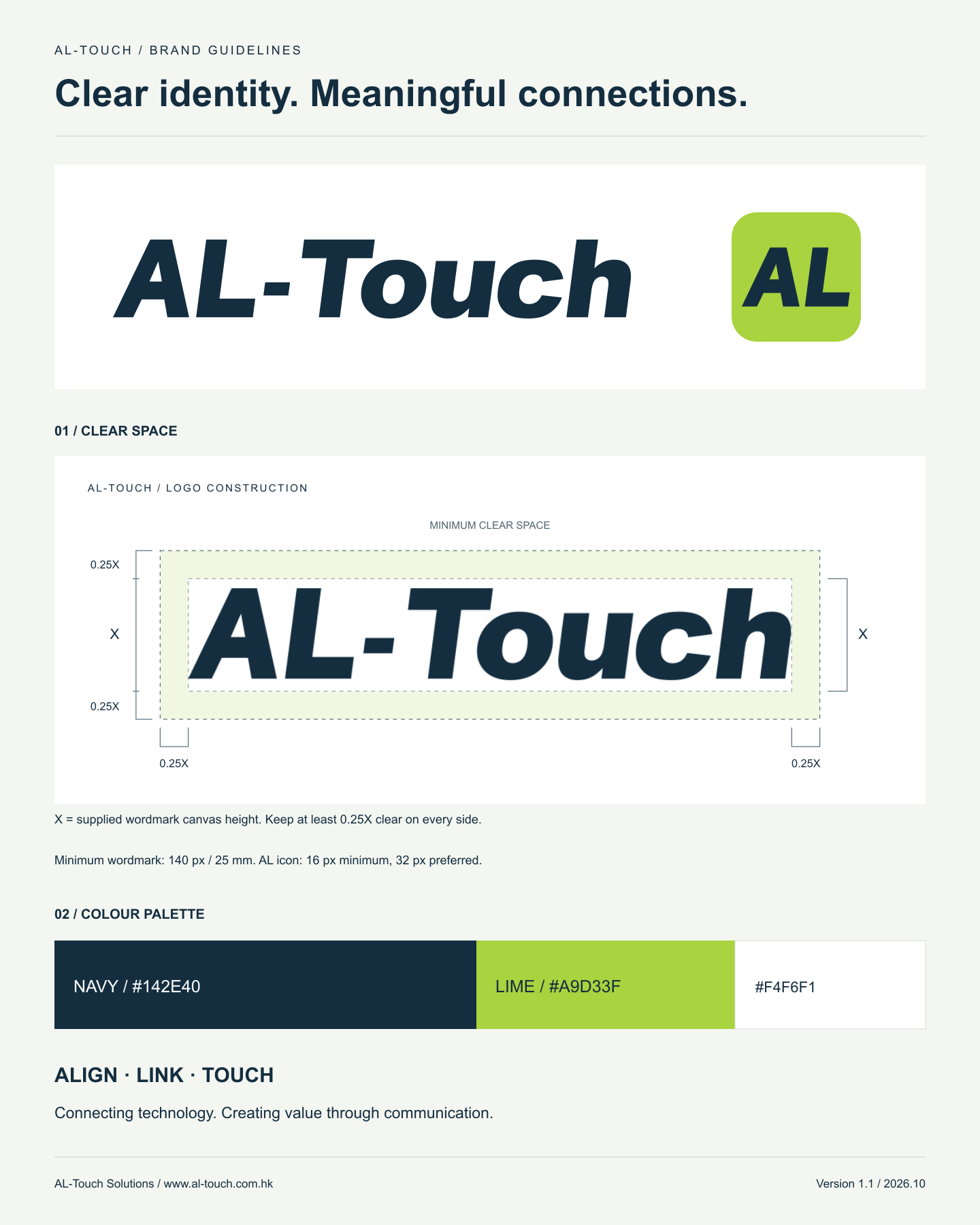
Minimum wordmark size
 Screen: 140 px wide · Print: 25 mm wide
Use the AL icon below this size. Check the final print for clarity on the chosen stock and finish.
AL icon

From the complete wordmark to the compact AL icon, consistent proportions, space and colour express the professionalism, trust and connection behind AL-Touch.
 COMPACT IDENTITY
Use the approved master wordmark artwork with its original spacing, proportions and slant. Always use the supplied vector file; do not retype the logo.
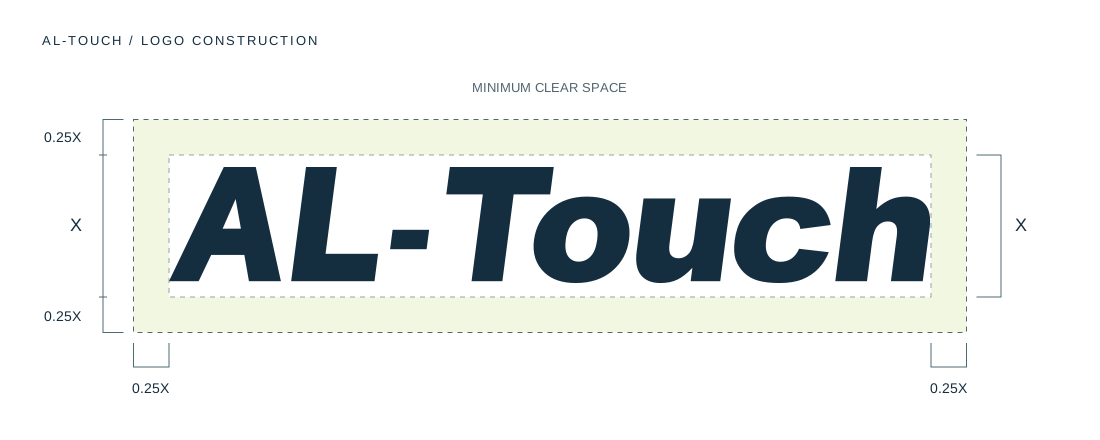
Use the full name on websites, presentations and business documents. Use the AL icon for favicons, shortcuts and compact spaces.
Screen: 140 px wide · Print: 25 mm wideUse the AL icon below this size. Check the final print for clarity on the chosen stock and finish.
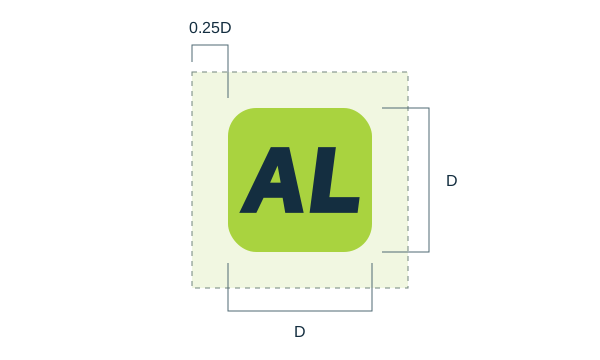
Minimum screen size: 16 × 16 px. Prefer 32 px or larger in interfaces. Keep the square canvas and a minimum outer margin of 0.25D, where D is the icon width.
Let white and navy lead. Use small areas of bright lime for key actions, fine lines, arrows and selected states.
#142E40RGB 20, 46, 64
Primary logo, text and identity. Existing dark website panels may retain #203845.
#A9D33FRGB 169, 211, 63
The brand icon, primary actions and small highlights. Pair with navy text; avoid small lime text on white.
#F4F6F1RGB 244, 246, 241
Page surfaces and breathing space, keeping text and imagery clear.
HEX and RGB values are the digital masters. For print, convert using the printer’s ICC profile and approve a physical proof; do not assume one universal CMYK or Pantone match.
Layout guide: about 70% white / soft white, 25% navy and 5% lime. Adapt to the content; these are not mandatory proportions.
Text contrast for navy #142E40 against lime #A9D33F is approximately 8.08:1.
A practical type system for websites, proposals and everyday communication. The logo remains original artwork, independent of the text typeface.
Understand the need. Connect the right systems. Make every point of contact clear, dependable and useful.
Arial + local Chinese system fonts
English: Arial, with a system sans-serif fallback. Chinese: Microsoft JhengHei / PingFang TC; Simplified Chinese: Microsoft YaHei / PingFang SC. Use fonts available on the device; no external font request is required.
| Role | Size / line height | Weight |
|---|---|---|
| Display | 48–72 px / 1.08–1.15 | 700 |
| Section heading | 32–48 px / 1.2–1.35 | 700 |
| Subheading | 20–24 px / 1.4 | 700 |
| Body | 16–18 px / 1.65–1.85 | 400 |
| Label / caption | 12–14 px / 1.5 | 400–700 |
Digital reference sizes; use 32–44 px display type on small screens. Keep paragraphs around 45–75 Latin characters or 24–36 Chinese characters per line. Avoid wide tracking in Chinese text.
Use a shared alignment axis, generous space and a restrained connecting line. The graphic language supports the message without competing with the identity.
Align the logo, heading and body to a consistent edge. Use 12 columns on desktop and 4 on mobile.
Use one fine line to connect related information. Keep routes simple, with clear starts and ends.
A small lime node, arrow or action marks the next step. Keep decorative graphics outside the logo clear space.
Use 8 / 16 / 24 / 32 / 48 / 64 px increments. For digital layouts: 20–24 px mobile gutters, 24 px desktop column gaps and a 1,200 px content maximum.
Choose uncluttered backgrounds. Use the master artwork or the supplied white version to keep the identity consistent.
✓Navy wordmark on a light surface
✓White wordmark on navy
✓Lime icon with navy AL
×Do not stretch or compress
×Do not change the slant
×Do not add shadows, outlines or glow
Align & Link expresses our service philosophy: understand the business first, then connect people, devices and systems.
Connecting technology.
Creating value through communication.
Start with business goals, workflows and constraints, so IT decisions address the problems that matter.
Bring networks, devices, systems and information together to support everyday work.
Every point of contact between people, devices and systems should be clear, dependable and easy to use.
Our brand interpretation: AL = Align & Link. Effective communication is where technology begins to create business value.
Consistent alignment, restrained colour and clear hierarchy connect the website to business materials. These are layout examples, not finished stationery or named employee details.
01 /A clear title, generous margins and one connecting motif. Use the master wordmark at its original ratio.
Keep contact information left-aligned. Reserve the lime icon for the reverse or a small accent.
[Role / team]
AL-Touch Solutions
[Business email] · [Telephone]
Use a compact wordmark and live text for essential details. Keep icons and promotional banners to a minimum.
Download vector wordmarks, the AL icon, PNG files, favicons, Apple icons and clear-space diagrams. Keep the original proportions and colours.
Brand kit v1.1 · SVG / PNG / ICO · sRGB digital artwork
SVG, transparent PNG, favicons, Apple icon and clear-space diagrams.
A scalable vector reference for design and production handover.
A quick reference for the logo, colour palette and clear space.