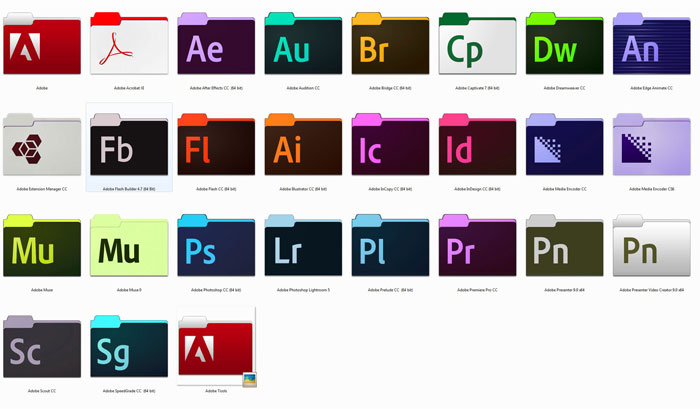
Product selection, deployment verification and handover
Match products and licences to usage, connecting purchasing, configuration, verification and daily management in a clear delivery scope.
Selection and licensing
Check users, devices, sites and key functions. Compare capacity, licensing and deployment conditions for the selected edition.
Deployment and integration
Confirm integration with existing networks, accounts and systems, then configure, migrate or pilot within the approved scope.
Verification and management
Test features and permissions in real workflows, clarifying responsibility for alerts, updates, renewals and support.
Confirm before purchasing
- Required features are included in the quoted edition and licence.
- Deployment prerequisites, third-party integrations and data handling are specified.
- Installation, training, updates and after-sales support are described separately.
Features, specifications, licensing, sales regions and availability depend on current vendor documentation and the formal quotation. New integrations or custom work require separate assessment.
Procurement and contract services
- Creative Cloud for Teams and licences selected for the intended users
- Quotations for Photoshop, Illustrator, Acrobat and related products
- VIP / VIP Marketplace activation, renewal and reseller transfers under current terms
- Seat allocation, anniversary dates and administrator permissions
Deployment and management
We help businesses understand licence allocation in Adobe Admin Console and standard installation processes, selecting products according to team size and actual use.
Product catalogue and partner status
The catalogue was updated on 16 July 2026 and covers business, education and government use with seat tiers. Check SKUs, prices, product names and eligibility against current manufacturer information and quotations. The catalogue supports selection; availability and charges follow the formal quotation.
Use the official Adobe Partner Finder to check current channel status. Authorisation and individual sales records from 2014 are historical evidence and should be reviewed separately.
Confirm Adobe licences and renewals for the intended users
Creative Cloud quotations depend on business, education or government use, products, seats and subscription periods. Customers can check AL-Touch's current status in the official partner directory and confirm plans, anniversary dates and administrative permissions before activation, renewal or reseller transfer. The dated catalogue is a reference; formal quotations determine actual prices and SKUs.
Information and references
Suitability and enquiry preparation
When is this service suitable?
Common needs
- You need licensed creative software for design or content colleagues.
- Hiring, departures or team growth require seat changes.
- You want clarity on company administration, editions and renewals.
Which service do I need?
- Adobe Creative Cloud
Confirm current licensing by region, application and user type.
- Business procurement and upgrades
Confirm related equipment and software procurement scope.
- Business computer maintenance
Coordinate deployment and employee-device management.
Prepare for an enquiry
- Software names and expected user count.
- Existing licence types and approximate renewal dates.
- Devices for deployment and the company's management approach.
For an initial enquiry, describe the issue and equipment only. Do not submit passwords or verification codes. The team will arrange a secure channel for sensitive documents and incident records.
Enquire about Adobe business licensingCybersecurity and AI useExplore security planning, responsibilities and acceptance considerations
Cybersecurity · Safe AI use
Business software procurement and management: security planning priorities
「Adobe Creative Cloud | Business software licensing」 includes the following security priorities; measures, tests and deliverables are specified in the proposal.
- Licensing and supplyCheck legitimate licences, editions, updates and support by organisation, user and deployment method.
- Seats and accountsConfirm administrators, employee seats and departure handover, with suitable permissions, authentication and external-collaboration settings.
- Data and integrationUnderstand the business data stored and exchanged, assessing access and update responsibilities for plug-ins, APIs and third-party integrations.
AI considerationsWhere software includes AI, check data use and administration against current editions, licences and vendor policies. Do not assume every licence includes AI security features.
Planning and acceptance recordsLicence and seat inventory, administrator and integration settings, deployment and renewal handover records.
You may also want to know
What should we provide when colleagues need different Adobe applications?
List required products, user numbers, existing licences and renewal dates, explaining each person's work. The team can compare relevant plans and organise seats and administration.
What is needed before renewal or a reseller transfer?
Provide current products, seats, plans and anniversary dates, and verify administrator and contractual authority to avoid interruptions or duplicate subscriptions before arrangements are confirmed.